
We’ve all experienced the situation: an Instagram profile that perfectly matches a prospect, a potential partner, or a content creator to contact, but no visible email address. Private messages go unanswered, and the contact button shows nothing. Finding the email address of an Instagram account requires knowing a few concrete methods, depending on whether the profile is professional or personal.
1. Use the contact button on professional accounts via mobile
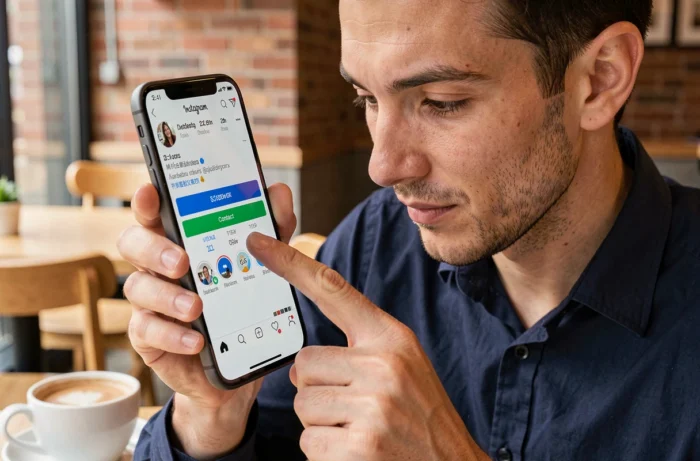
The first instinct when looking for an Instagram account’s email is to open the profile from the mobile app, not from a computer. On desktop, the contact button simply does not appear. This is a common mistake that wastes time.
Accounts set up in professional or creator mode have a “Contact” button under the profile name. By pressing it, you can directly access the public email address, phone number, or directions, depending on what the owner has provided.
Since 2025, Instagram distinguishes between two layers of contact data on professional accounts: the login email (managed via the Meta Accounts Center) and the public contact email (modifiable in “Edit Profile,” then “Contact Options”). The two addresses can be different.
The one retrieved via the contact button is the public email, not the one linked to account authentication. You can check the site Notre Veille Du Web which details this distinction and its practical implications.
2. Check the website linked in the Instagram bio

When the contact button yields nothing, the link in the bio remains the most reliable lead. Most professional accounts link to a website, a Linktree, or a landing page.
On the website, look directly for the “Contact” or “About” page. The email address is often clearly listed there. If the site uses a form without displaying an email, you can inspect the legal notices or terms and conditions: in France, the legal notices of a commercial site must include a means of contact, often an email address.
For profiles using a link aggregator (Linktree, Beacons, Stan Store), each listed link may lead to a different page. Take the time to click on each one; some may redirect to newsletters or sales pages where the contact email appears in the footer.
3. Use Google search operators with the profile name
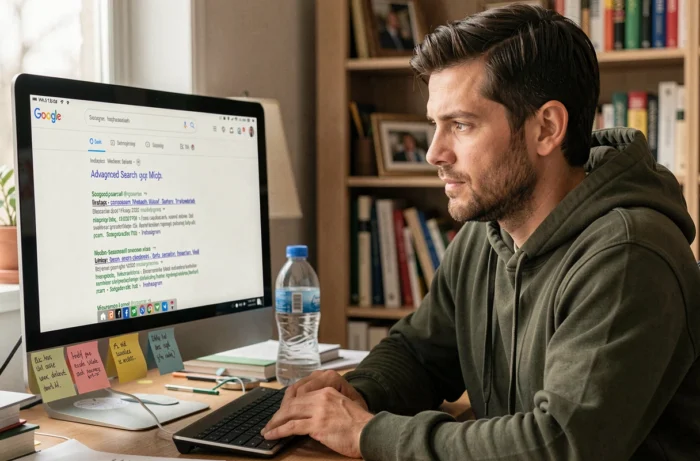
This method works particularly well for content creators and micro-entrepreneurs who have a dispersed web presence. You type a query into Google constructed with targeted search operators.
Here are the most effective formulas:
- “username” + “gmail.com” or any other email provider, to find public mentions of the address on forums, directories, or guest articles
- site:instagram.com + “username” + email, to find caches of profiles where the email was once visible
- “username” + contact + email, to cast a wide net on personal pages, portfolios, or profiles on third-party platforms
Results vary on this point: this technique heavily depends on the person’s digital footprint. For an influencer active on multiple platforms, the results are often conclusive. For a personal account with little activity outside of Instagram, you rarely come across anything usable.
4. Cross-reference LinkedIn profiles and other social networks

An Instagram professional account often belongs to someone who also has a LinkedIn profile, a TikTok account, or a Facebook page. Cross-referencing social networks can help find an email that Instagram does not display.
On LinkedIn, the professional email is sometimes visible in the “Contact Information” section (accessible only to first-degree connections). If you’re not connected, the full name and job title are often enough to guess the professional email format ([email protected]) and verify it later.
Facebook is also useful: professional pages frequently display an email in the “About” section. And since account management is done through the Meta Accounts Center, contact information is sometimes synchronized between the two platforms.
The concrete steps:
- Search for the Instagram username on LinkedIn, Facebook, and Twitter/X
- Compare bios to confirm it’s the same person
- Collect available contact information from each platform
- If a company domain appears, test common email formats with a verification tool
5. Use specialized email search tools

When manual methods yield no results, specialized tools can help find an email address based on a name or social profile. Hunter.io remains the go-to for identifying email addresses associated with a professional domain.
The principle is simple: you enter the domain name of the site linked to the Instagram profile, and the tool displays the publicly indexed email addresses for that domain. Hunter.io offers an SMTP verification that confirms whether the found address is active, which prevents sending emails into the void.
For larger-scale searches (influence campaigns, B2B prospecting), solutions like Apify allow for structured extraction of public data from Instagram profiles. You can retrieve emails displayed on professional accounts, bio links, and contact information, all exportable into a usable file.
A point of caution: only collect emails that the user has voluntarily made public. No scraping of private accounts, no access to hidden data. The message sent must provide value and include a clear unsubscribe option, or it risks being marked as spam.
The combination of these five methods covers the vast majority of cases. Always start with the simplest (mobile contact button, link in bio) before moving on to Google searches or specialized tools. The time invested in the initial steps is often sufficient to find the email address of an Instagram account without resorting to paid solutions.